🔎 Find
Search this page
Previous
Next
Python Lesson 3 Collected Knowledge
by Apolinario "Sam" Ortega
My csv file is located at : /Users/invbat/projects/titanic.csv
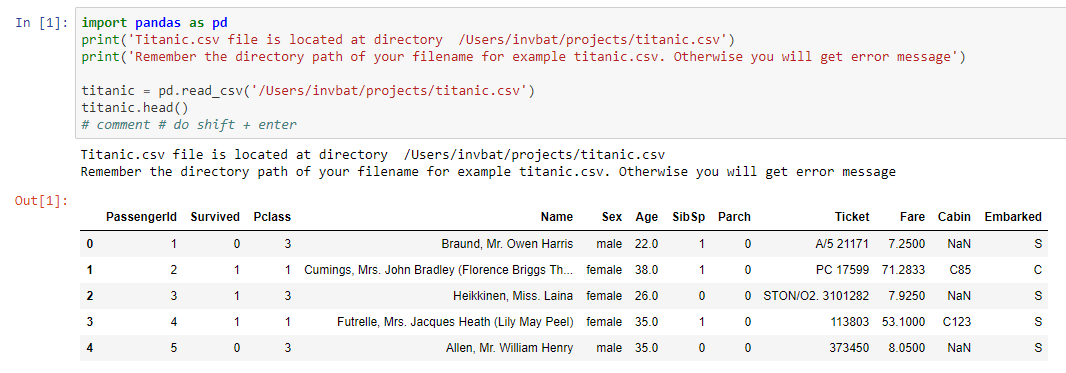
titanic = pd.read_csv('/users/invbat/projects/titanic.csv')

titanic.head()
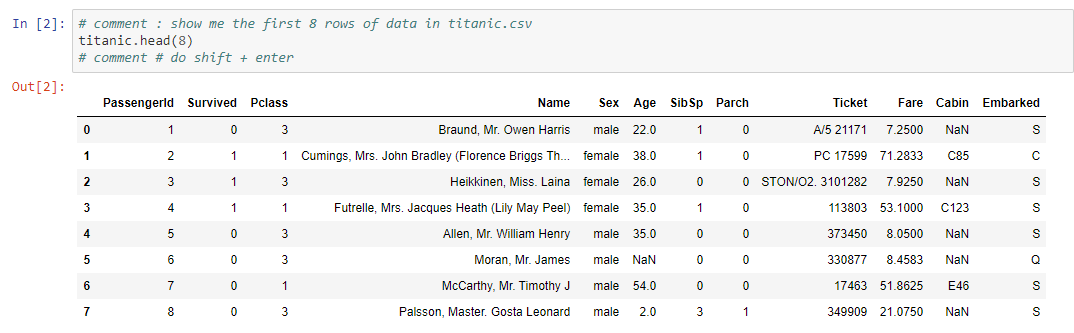
titanic.head(8)
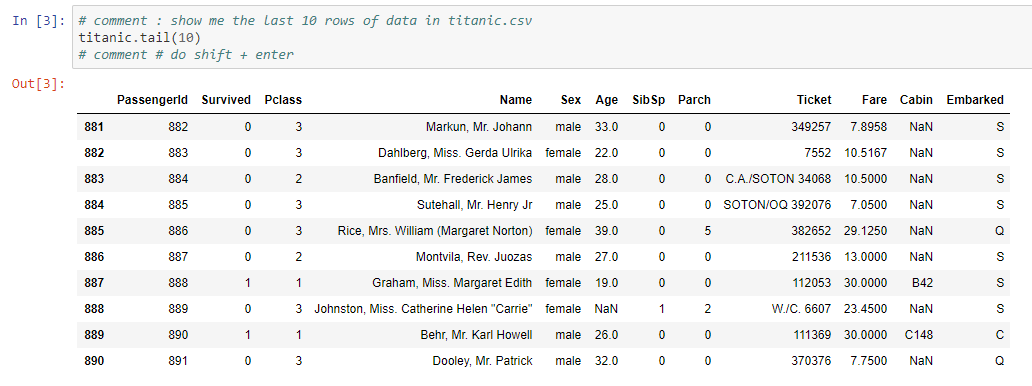
titanic.tail(10)
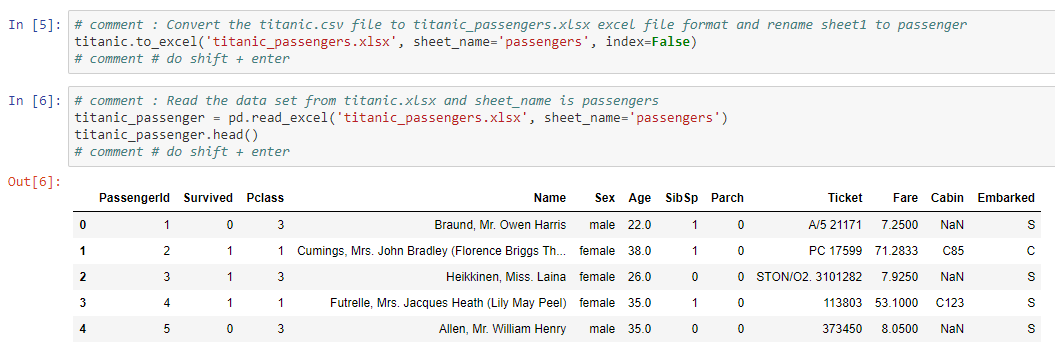
titanic.to_excel('titanic_passengers.xlsx', sheet_name='passengers', index=False)

titanic_passenger = pd.read_excel('titatanic_passengers.xlsx', sheet_name='passengers')
titanic_passenger.head()
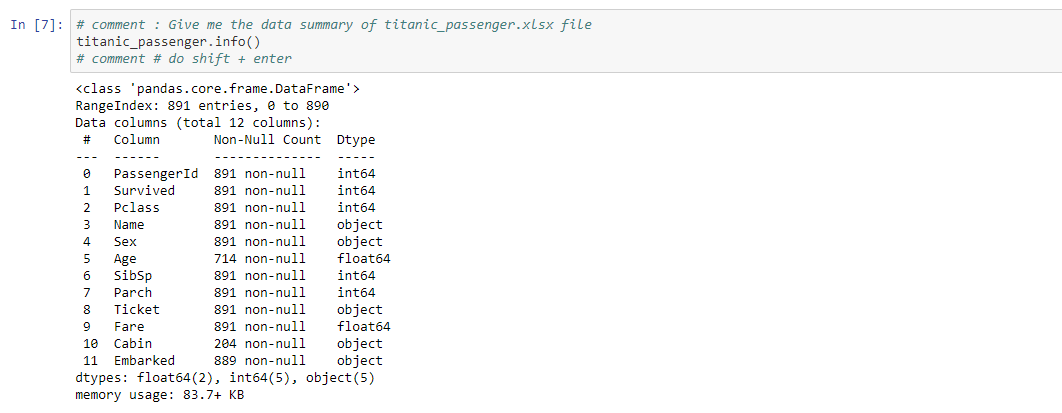
titanic_passenger.info()
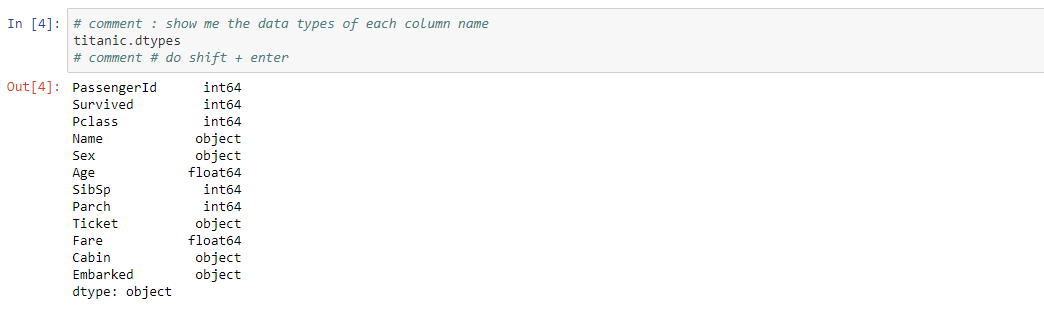
titanic.dtypes
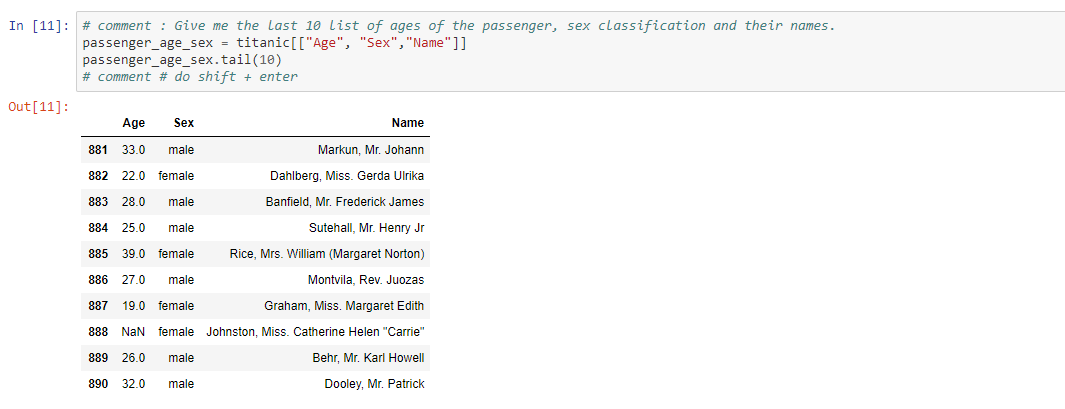
passenger_age_sex = titanic[["Age", "Sex", "Name"]]
passenger_age_sex .tail(10)
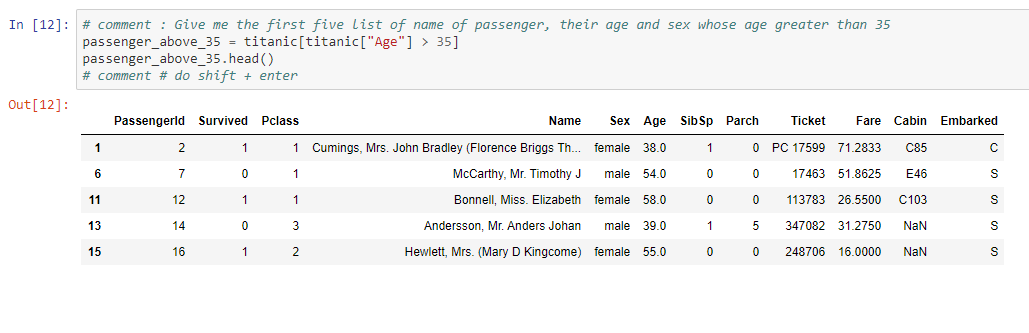
passenger_above_35 = titanic[titanic["Age"] > 35]
passenger_above_35.head()
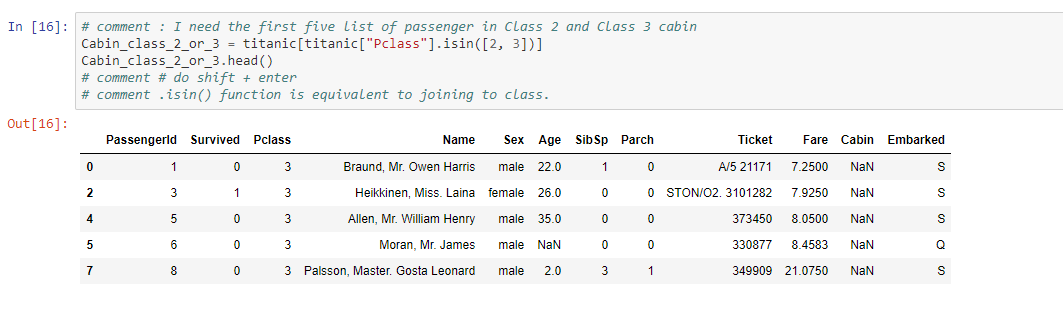
Cabin_class_2_or_3 = titanic[titanic["Pclass"].isin([2,3])]
Cabin_class_2_or_3.head()
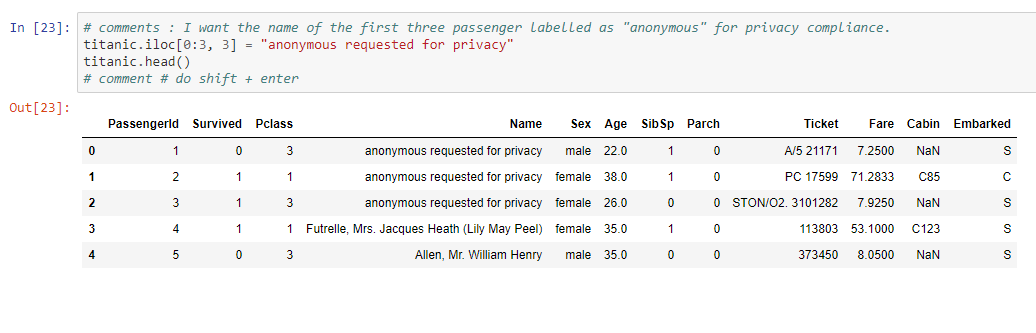
titanic.iloc[0:3, 3] = "anonymous requested for privacy"
titanic.head()
Copyright 2026
Never Forget Again with IN-V-BAT-AI
INVenting Brain
Assistant Tools
using Artificial Intelligence
(IN-V-BAT-AI)
Since
April 27, 2009
April 27, 2009